

Instructions for your new Navigator platform on sailingdarkangel.com
Go to sailingdarkangel.com
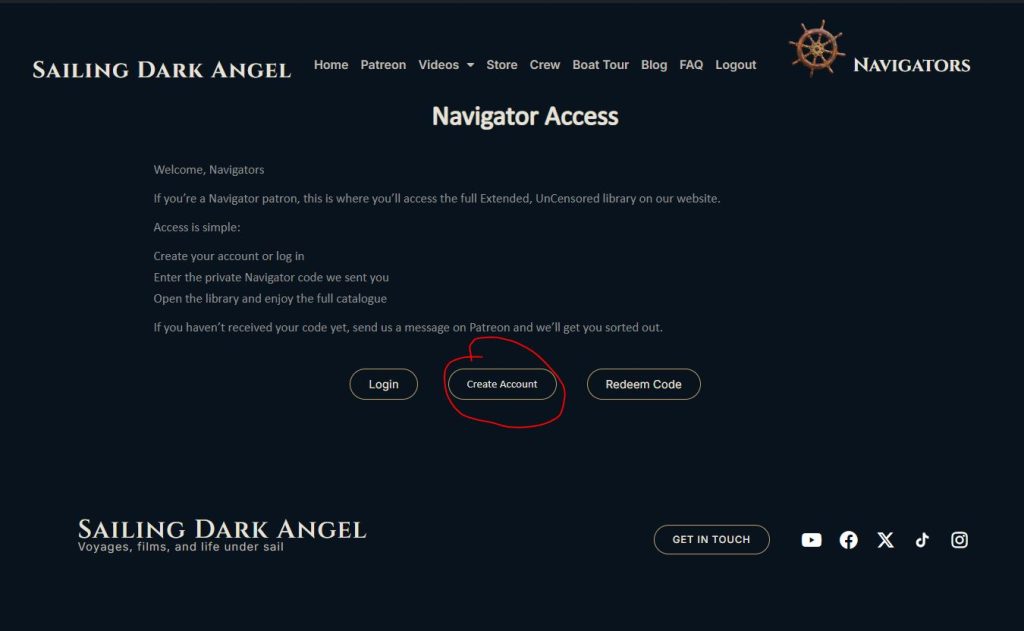
At the top of the page, click on the word “Navigators”, or the ships’ wheel /Navigators logo
Click the “Create Account” button
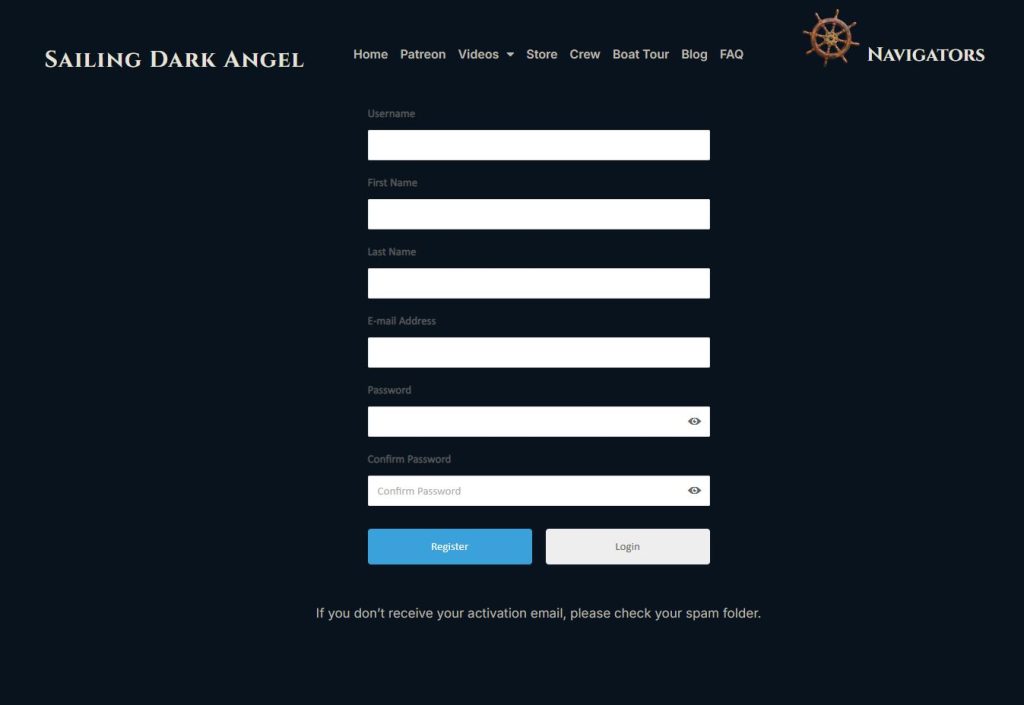
Fill in the account creation form.
Choose your own Username.
Fill in your First and Last Name
Make sure you use the same email address as you use for patreon or your NAV code will not work.
Make a note of the password you choose. You’ll need it to log in.
Click the “Register” button
A verification email will be sent to your email address. You will not be able to log in until your email address is verified.
When you click on the verification button on your email, you should be taken to straight to the Redeem Code page.
(If you use a different browser, or it doesn’t take you there automatically for any reason, just go back to the Home page and click on “Navigators” again.
Enter your username or e-mail and your password and click the “Login” button.)
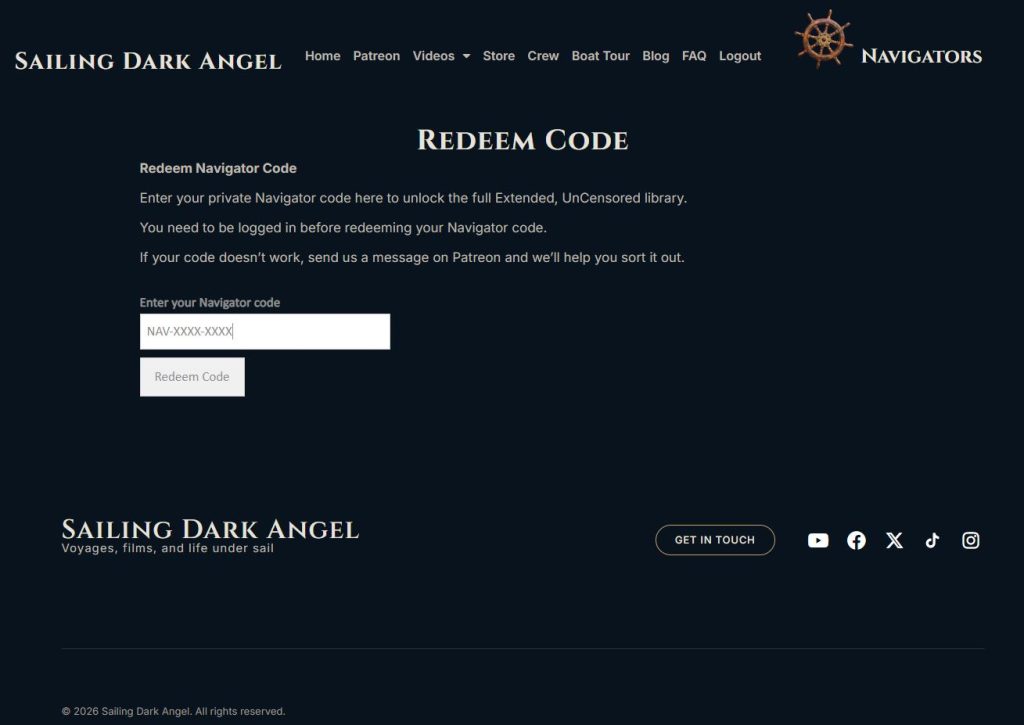
You’ll be taken to the Redeem Code page. You only have to do this step once.
On the Redeem Code page, enter the one time only NAV code you were issued by us.
Once the code is redeemed you’ll be taken to the Navigator Library page. From there you can select the season and video that you’d like to watch 🙂
On each video and season page you’ll find buttons to help you navigate from season to season, video to video or back to the Navigator Library.
The Logout option will show at the top of every page, after you are logged in.
There are over 200 videos to upload, so it’s going to take a while before all the videos are up. Until then the vimeo VIP code will be the only way to see the full library.
No products in the cart.